![duel_logotype-1.png]](https://info.duel.tech/hs-fs/hubfs/duel_logotype-1.png?height=37&name=duel_logotype-1.png)
What this Feature Does
How to Invalidate Codes
What's Excluded
Undoing a Batch
🚨 Invalidating a code in Duel removes it from the advocates portal and stops future commission and attribution, but does not deactivate it on your eCommerce platform. Remove or deactivate the same code there to prevent further redemption if the code was already accessed.
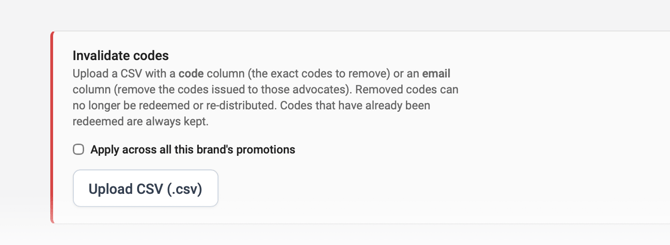
Codes can be bulk removed from a promotion by uploading a CSV listing either the codes themselves or the emails of the advocates they're issued to.
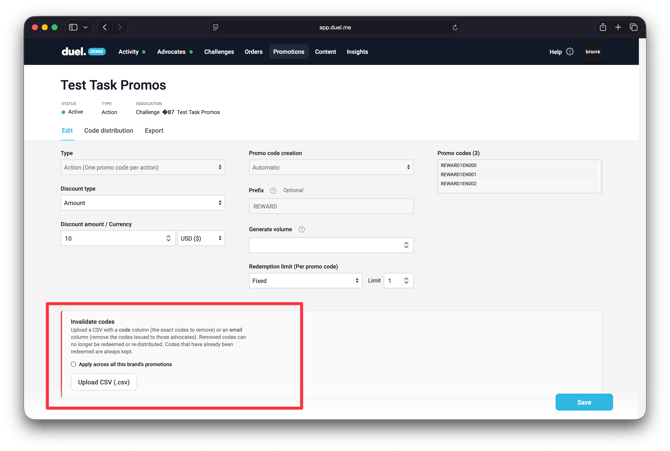
💻 Navigate to Promotions > open a promotion > Invalidate codes
What this Feature Does
Removing a batch of codes used to mean filing a ticket and waiting for a script to run against the production database. Now you upload a CSV, preview exactly what will change, and apply it yourself.
What you can target
- By code: upload the exact codes you want to invalidate.
- By email: upload a list of advocate emails and invalidate every code issued to them.
- All promotions on the brand: tick one box to sweep every live promotion at once. A flagged advocate could holds codes across more than one.
1️⃣ How to Invalidate Codes
- Open the promotion holding the codes you want to remove.
- Click Invalidate codes.
- Upload a CSV with a header row and a single column, either
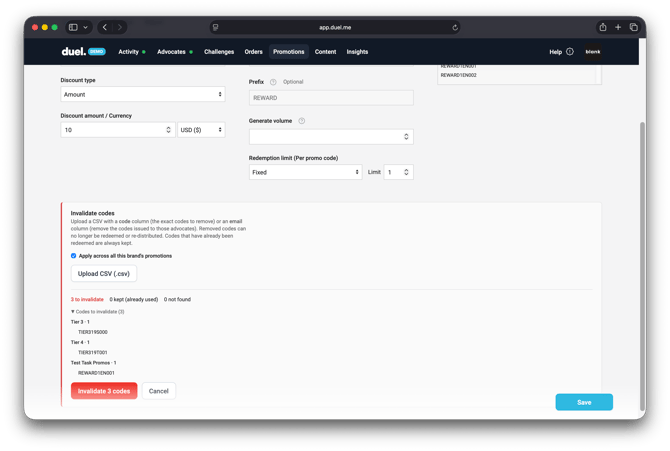
codeoremail. Don't mix the two in one file. - Review the preview: how many codes will be pulled, how many are kept, and how many weren't found.
- Confirm to apply the batch.
💡 Pro Tip: Chasing a fraud? Upload emails with the apply across all this brands promotions tick-box on this catches all of them in one pass.
What's Excluded
This works on action promotions only, the ones where a pool of codes is distributed across advocates. Personal and universal promotions are excluded on purpose: a personal code is pinned to one advocate and a universal code is shared by everyone, so bulk removal isn't safe for either.
Files are capped at 5,000 rows per upload. Split larger lists into multiple files.
🚨 This action touches discount and commission codes directly. Read the preview carefully before confirming a batch. Already-redeemed codes are never touched, and once a code is invalidated it can't be redeemed or reissued to someone else.
Undoing a Batch
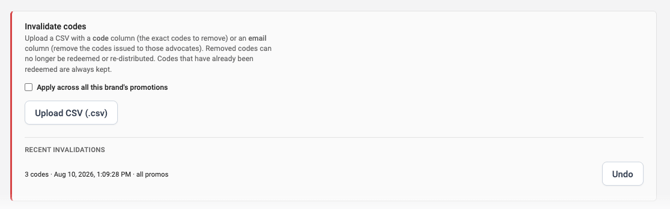
Every batch is logged. If you invalidate the wrong set, open the batch history and reverse it in one click.