![duel_logotype-1.png]](https://info.duel.tech/hs-fs/hubfs/duel_logotype-1.png?height=37&name=duel_logotype-1.png)
Who this is for: brand teams who need help from Duel. Start with the AI Support Agent for quick answers. For anything about your own program or account, raise a support ticket and track it in the Support Portal.
💡 Helping an advocate? Advocates should contact your customer service team, not Duel. See Answering advocate questions and Advocate Error Messages.
📑 On this page
🤖 Ask the AI Support Agent
The AI Support Agent is on every Help Centre page. Click Ask me anything… in the bottom-right corner and type your question. It answers from the Knowledge Base, so it's the fastest way to find how-to steps and settings.
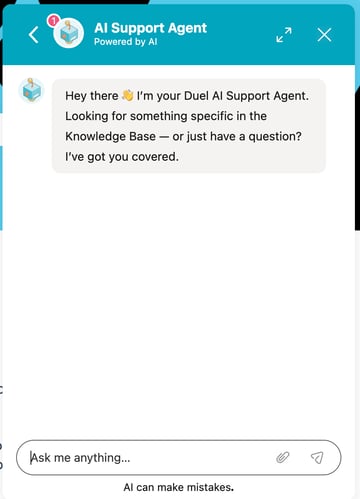
The agent can make mistakes, and it can't see your program's data. If it can't help, or the question is about your account, raise a support ticket.
The AI Support Agent is for brand teams on this Help Centre. It isn't available to advocates in your program portal.
🎫 Raise a support ticket
Use the support form for help, bugs and feature ideas. Choose the option that fits, or General Support if you're not sure, and we'll route it to the right team.
You can also click Submit a Support Ticket in the Help Centre menu, or File a Support Ticket in the Support Portal.
💡 Tip: include the advocate's email if it's about an advocate, the challenge or promotion name, links, and screenshots or a screen recording. It saves a round of questions.
🗂️ Track your tickets in the Support Portal
The Support Portal shows every ticket you've raised, its status and the full email exchange with our team, so nothing gets lost in your inbox. Open it from Support Portal in the Help Centre menu, or go to info.duel.tech/support-portal.
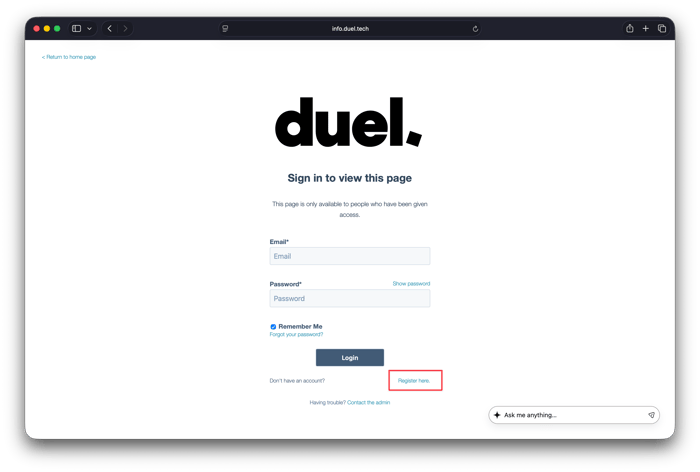
Set up your account
- Go to the Support Portal.
- On the sign-in page, click Register here.
- Register with the work email you use to submit tickets, not a personal email.
- Sign in with that email and your password.

View and reply to tickets
After signing in, click Tickets. Each ticket shows its subject, who raised it, when it was created, its last activity, type, status and category.
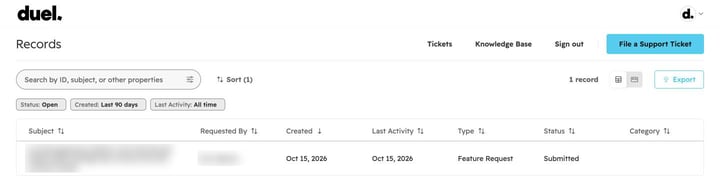
- Search by ticket ID, subject or other details.
- Filter by status, created date and last activity, and sort the list.
- Export downloads your ticket list.
- Click a ticket to read the full email exchange and reply while it's open.
⚠️ You only see tickets raised with the email address you signed in with.
✉️ Email us
You can also email our support team at brandsuccess@duel.tech. Emails become tickets you can track in the Support Portal. This address is for brand teams only, so please don't share it with advocates.
💡 Ideas and upcoming features
See what's coming next on the Duel roadmap. To suggest something new, choose Feature Idea in the support form.