![duel_logotype-1.png]](https://info.duel.tech/hs-fs/hubfs/duel_logotype-1.png?height=37&name=duel_logotype-1.png)
You can apply formatting directly within the Challenge Instructions or other copy areas on the challenge creation page.
Add Bold or Italic Formatting
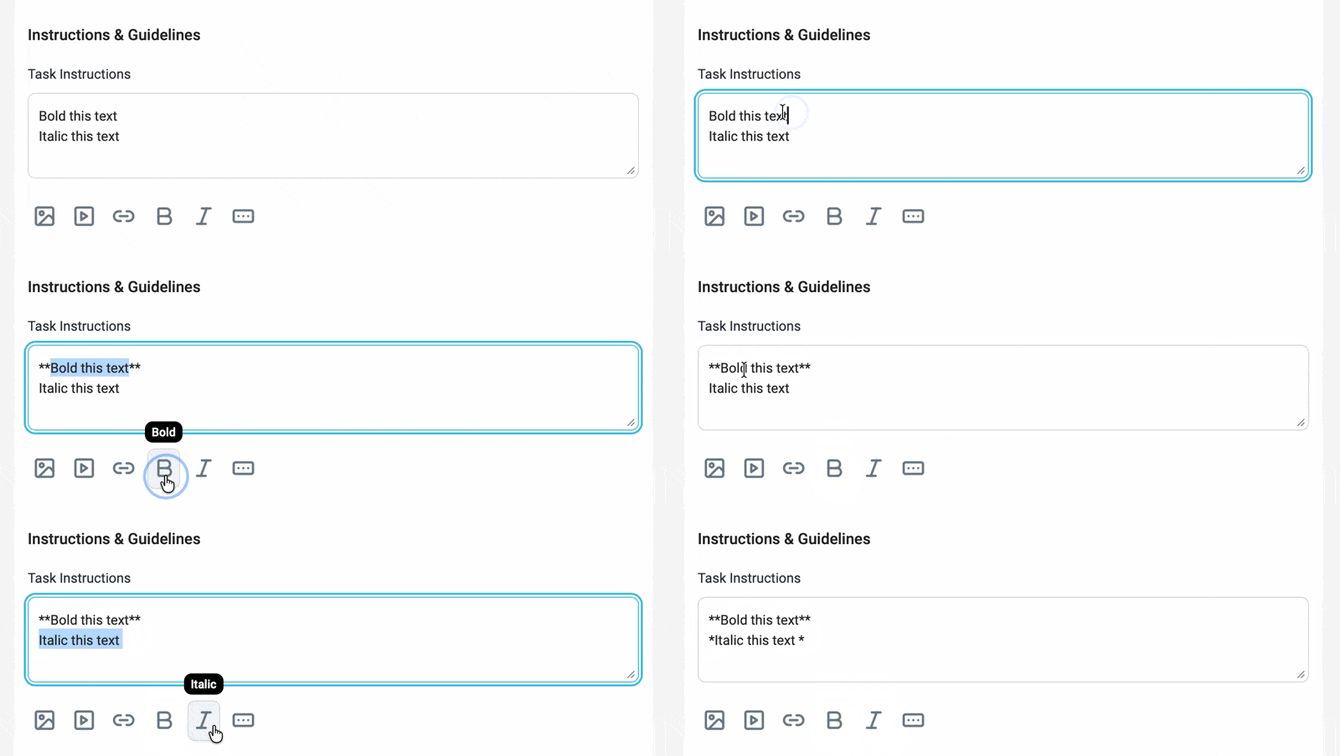
First, type the text you want to format. Then highlight the relevant text and click either the Bold or Italic option in the formatting toolbar.
The formatted text will appear as markdown within the editor:
-
Bold text appears with double asterisks (**text**)
-
Italic text appears with single asterisks (*text*)
To see how the formatting will display to advocates, click Preview to view the challenge.
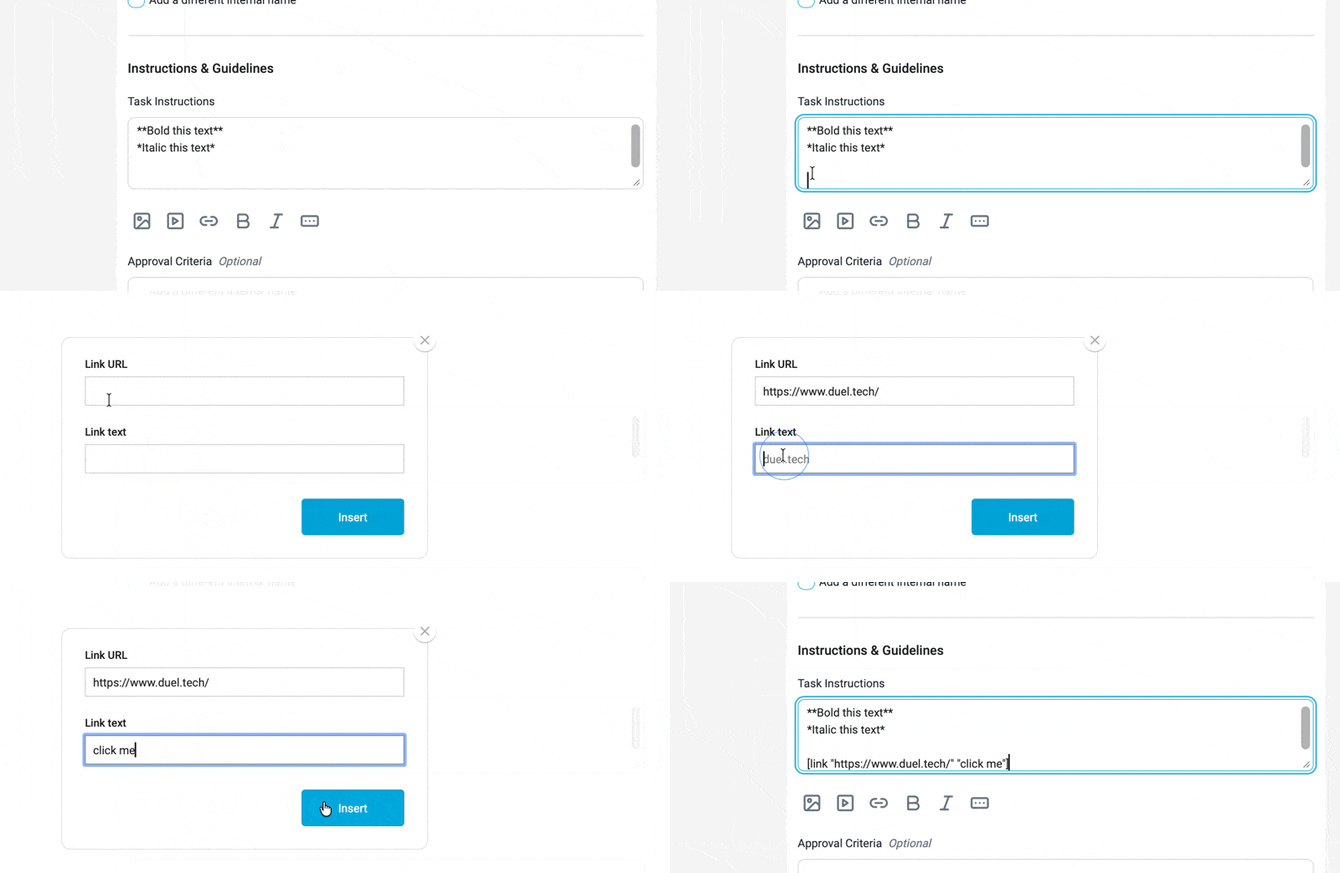
Add a Hyperlink
Click the Hyperlink button in the formatting toolbar. A pop-up will appear with two fields:
-
Link Text – the text that will be displayed in your challenge
-
Link URL – the destination URL the text will link to
Enter the relevant information in both fields and confirm to insert the link into your content.