![duel_logotype-1.png]](https://info.duel.tech/hs-fs/hubfs/duel_logotype-1.png?height=37&name=duel_logotype-1.png)
Group transfer
Group transfer on application
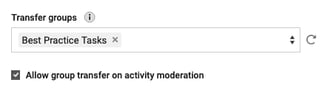
Group transfer on activity moderation
Removing advocates
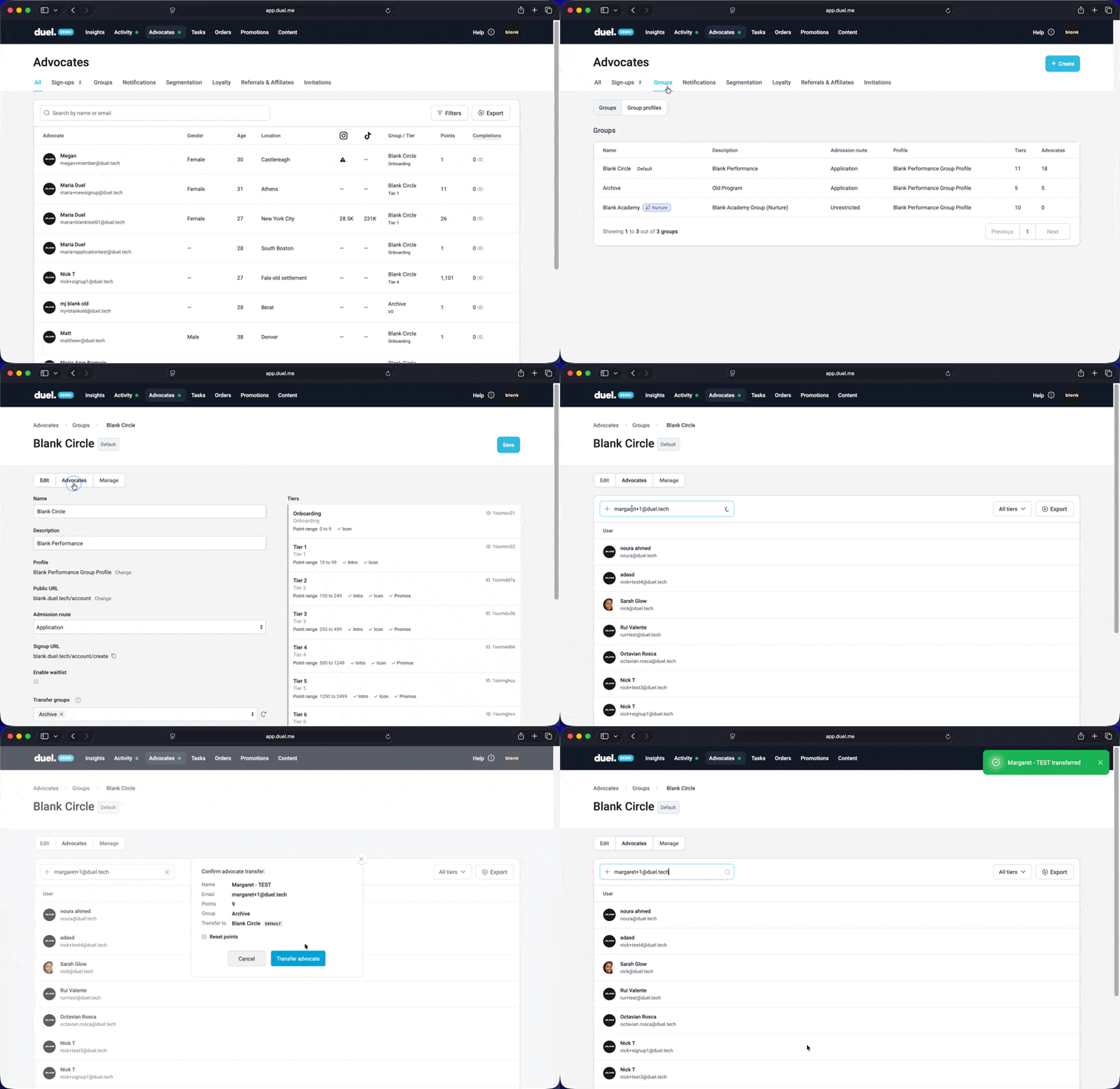
Group transfer
💻 Navigate to Advocates > Groups > select a group > Advocates
You have the option to enter the email address of the advocates you want to move into the group, or you can simply remove them from their current group and send them to the default group.You can search by name or email when transferring, you also have the options to reset their points (as if the advocate has started from the beginning)
Group transfer on application
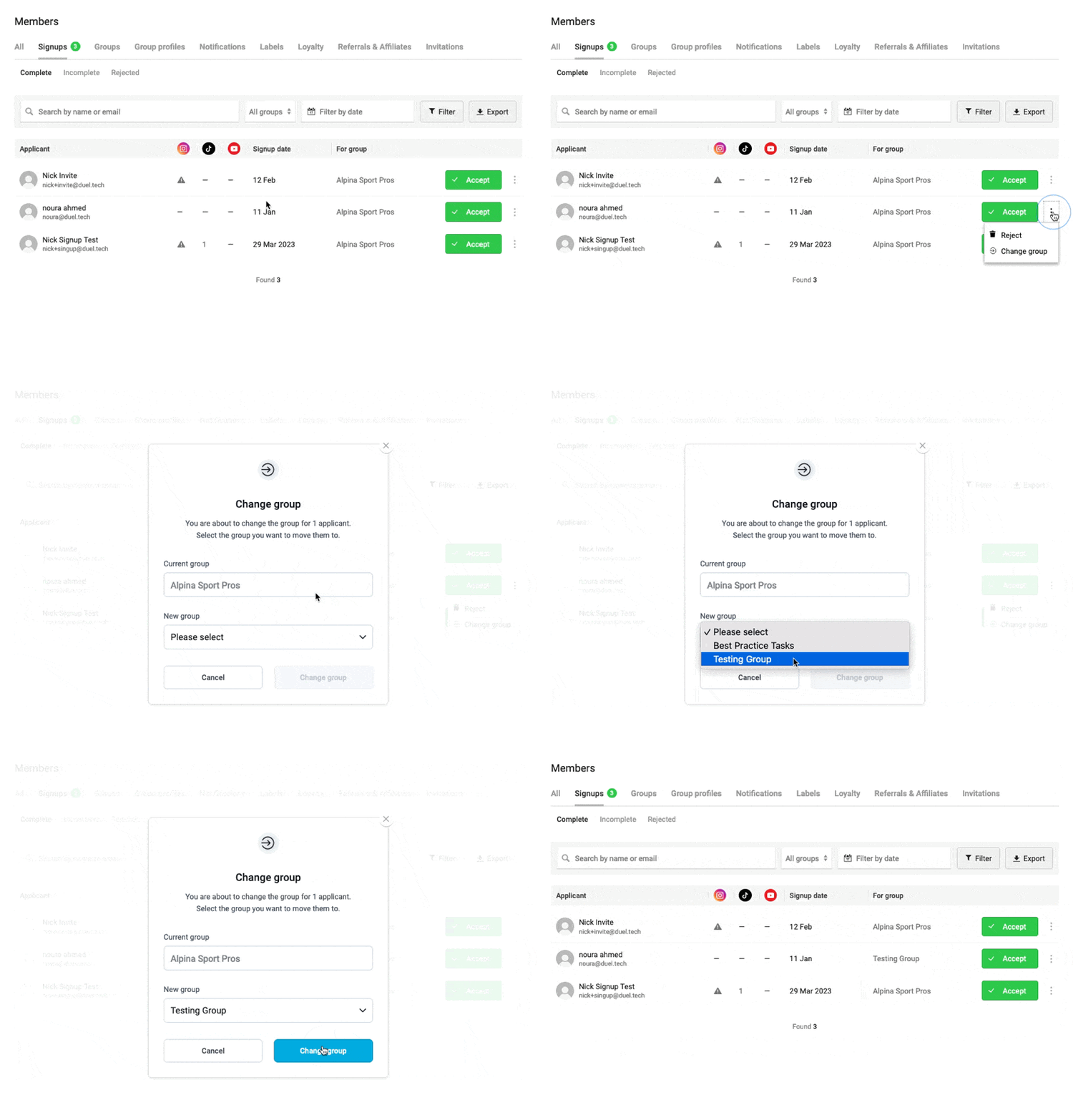
When moderating signups, you can move advocates to a different group if they've applied to the wrong region or would be better suited elsewhere.
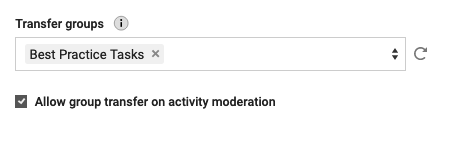
🚨 Note: This feature must be enabled on each relevant group before it can be used. Go to Advocates > Groups to enable it.
💻 Navigate to Advocates > Signups
To change a group during application moderation:
- Find the advocate's application in the Signups list.
- Click the three-dot icon to the right of the Accept button.
- Select Change Group and choose the appropriate group.
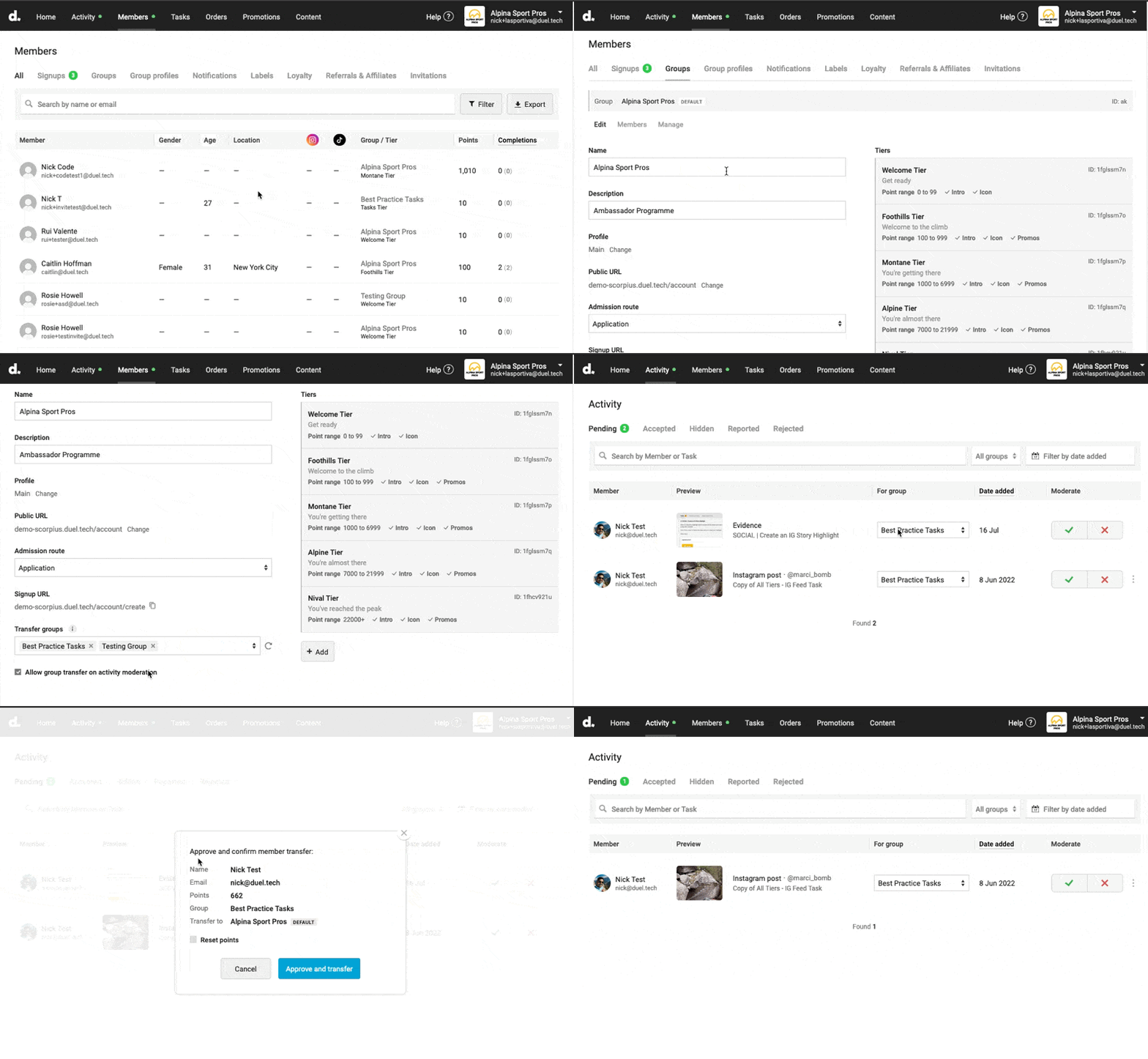
Group transfer on activity moderation
You can also reassign an advocate to a different group when reviewing their submitted activity — before you accept or reject the content.
🚨 Note: This feature must be enabled on each relevant group before it can be used. Go to Advocates > Groups to enable the checkbox Allow group transfer on activity moderation
💻 Navigate to Activity > Pending
To change a group during activity moderation:
- Locate the submission in the Pending queue.
- Use the Change Group option to reassign the advocate.
- Then proceed to accept or reject the submission as normal.