![duel_logotype-1.png]](https://info.duel.tech/hs-fs/hubfs/duel_logotype-1.png?height=37&name=duel_logotype-1.png)
Who this is for: brand teams who see a social profile with no posts, or a post whose video or image won't show, in the Duel dashboard.
Duel reads advocates' public posts from Instagram, TikTok and other platforms without logging in, and saves a copy of the content they submit. When a platform hides a post or a copy can't be saved, you'll see one of the messages below.
📑 On this page
📭 "No Posts Available" on a sign-up's profile
In Advocates > Sign-ups, with Social View on, a profile can show No Posts Available: "We couldn't show posts for this profile at the moment."
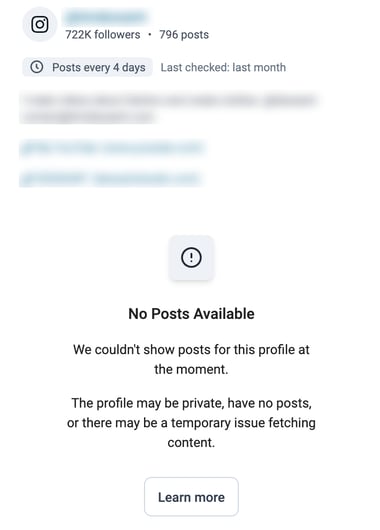
🔍 Why it happens:
- The profile is private, so its posts can't be seen.
- The profile has no posts yet.
- A temporary problem reading posts from the platform.
"Last checked" under the username shows when we last read the profile.
🛠️ What to do: usually nothing. Posts appear by themselves once the profile is public, has posts, or the problem clears. You can also open the profile on the platform yourself before you decide on the application.
🎬 "This asset is unavailable" or "Video unavailable" in Content
In Content, an advocate's post can show This asset is unavailable and may have been deleted. instead of the video or image, and you may not be able to download it.
This means we know about the post but don't have a copy of the video or image. It happens to a small share of posts.
🔍 Why it happens:
- The post was deleted or made private after it was submitted.
- The platform restricted it, for example an age restriction or TikTok's own content restrictions, so it can't be read without logging in.
- Our copy couldn't be saved. Platforms only give short-lived links to media, and occasionally the link expired before we saved the file.
💡 If a copy fails, Duel retries automatically and tries other sources before marking the content unavailable. In September 2026 we also restored older videos that had failed in this way.
🛠️ What to do: click Open original post to check whether it's still live and public. If it is and you need the file, contact us with the post link. We can often recover it while the post is still live.
🎫 When to contact us
Raise a ticket if a public profile keeps showing "No Posts Available", or if a live, public post shows as unavailable and you need it. Include the advocate's email and the post or profile link. See Getting Help from Duel.
For messages advocates see when they submit a challenge, see Advocate Error Messages.