![duel_logotype-1.png]](https://info.duel.tech/hs-fs/hubfs/duel_logotype-1.png?height=37&name=duel_logotype-1.png)
- Make sure you're logged into your Duel Dashboard. If you don't have a login yet please speak to your Brand Partner.
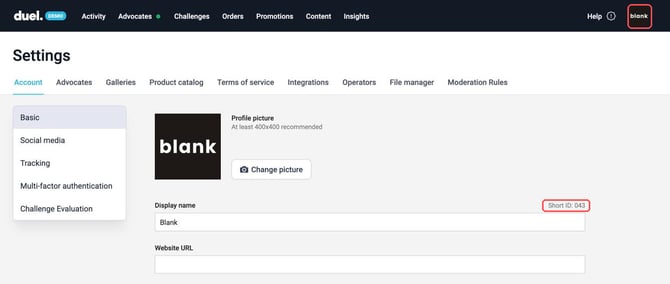
- Click your brand logo in the top right and select Settings.
- On Account › Basic, your Short ID is shown above the Display name field, on the right. In the example below, the Short ID is 043.