![duel_logotype-1.png]](https://info.duel.tech/hs-fs/hubfs/duel_logotype-1.png?height=37&name=duel_logotype-1.png)
In short: your social channels are where your biggest fans already follow you, so they're one of the fastest ways to fill your advocate programme. This guide covers what every promotion post needs, which format to use when, what to check before you go live, and real examples from brands on Duel.
📑 On this page
🧩 What every promotion post needs
Whatever the format, answer the same three questions your programme landing page answers:
| Question | What to say | How Astrid & Miyu said it |
|---|---|---|
| What is it? | Name the programme and say in one line what it is. | "Join our creator community and turn your love for jewellery into exclusive rewards, experiences and opportunities." |
| Who's it for? | Be specific: follower minimum, location, age and the kind of content you want. | "You just need a love for A&M, a great stack and a passion for sharing your personal style on Instagram and TikTok." |
| What's in it for them? | Lead with the benefits: commission, exclusive products, early access, events and gifts. | "Unlock Gift Cards, In-store Experiences, and earn up to 15% commission." |
🔗 Finish with a clear call to action and make the link easy to find. Send people to your programme landing page, not your homepage: a link sticker on stories, the link in bio for feed posts.
🎬 Choosing a format
| Format | Best for | Top tip |
|---|---|---|
| 🎥 Video and Reels | Reaching people who don't know your programme exists yet. The format that works hardest behind paid spend. | Show the programme in action: real creators, your products and the rewards on screen. |
| 📱 Stories | Your existing followers, who already love the brand. | Use a sequence rather than a single frame (hook, who it's for, what they get, how to apply) and put the link on every frame, not just the last. |
| 🖼️ Feed posts and carousels | A permanent reference. It stays on your profile, so anyone who hears about the programme later can still find it. | In a carousel, give one slide to each of the three questions above. |
💡 Social rarely recruits on its own. An email to your existing customers is usually the highest-converting channel and tends to spike applications within 48 hours. Organic social reaches further but converts lower, and paid social buys volume and precision. Run them together.
✅ Check this before you promote
Most drop-off happens between the click and the application, not in the post. Before you put budget behind anything:
- Click your own link end to end. The landing page should load and Apply should open the form.
- Send a test application. It shows in Advocates › Sign-ups › Pending Verification until the email address is verified, then moves to To Moderate. Applications are queued, so during a big surge the verification email can take a little while to arrive.
- Check your auto-moderation. Sign-up rules (such as private profiles, followers or allowed countries), Smart Moderation or Moderation Intelligence can accept or reject a test application automatically. Test with a public profile that meets your criteria, and check Sign-ups › Rejected if it doesn't appear.
- Test it on a phone. Most social traffic is mobile.
- Decide how applications will be moderated. A campaign that drives hundreds of applications in 48 hours needs a plan before they arrive, not after (see Application Moderation).
- Check the welcome email. The Application accepted email (Group profile › Automated Flows › Application emails) should point to your live portal, and the first challenges should be visible as soon as someone is accepted.
⚠️ A broken sign-up flow behind a paid campaign spends the budget and gets you nothing.
🌟 Examples from brands on Duel
Here's how brands running programmes on Duel have promoted them. Borrow what works for your audience.
🎥 Video: PINK
PINK's creator programme video opens with a question ("Want to inspire your audience and get rewarded?"), shows real creators with the products, and closes on a clear "Apply now".
🎥 Video: Passenger
Passenger invites fans to join the Roamers, its creator community, with a simple hook ("Love creating content?") and an on-brand outdoor look that feels like the rest of its feed.
📱 Stories: Astrid & Miyu
Astrid & Miyu launched their creator programme, Astrid & You, with a four-frame sequence that follows the structure above: a hook ("Calling all A&M Muses"), what the programme is, who can join, and the rewards, with an Apply now link.
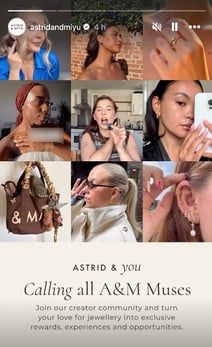
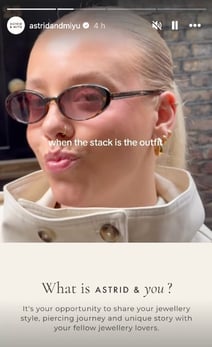
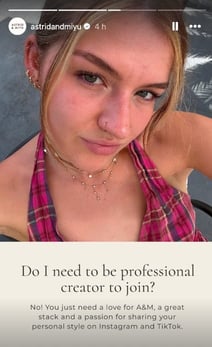
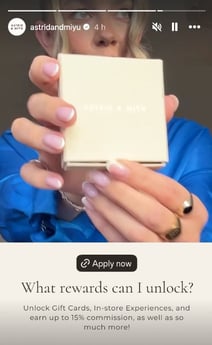
They followed up with single stories that lead with the community and the rewards, each with a link sticker to apply.
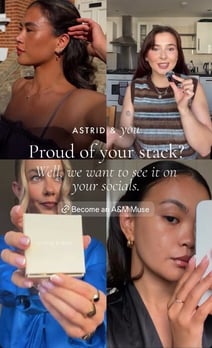
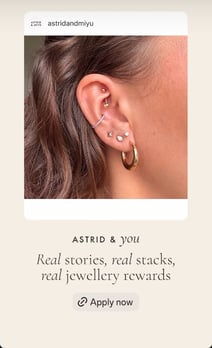
💡 Make every frame clickable. Not everyone watches to the end, so add the link sticker to each frame of a sequence.
📱 Stories: Abercrombie
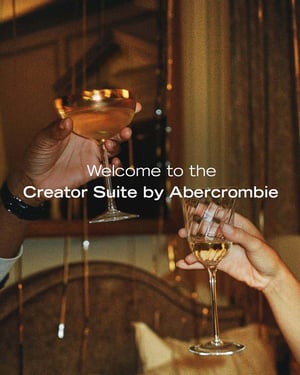
Abercrombie's Creator Suite series feels on-brand and playful. Even the entry criteria become part of the fun: "Must love Abercrombie and content creation."
.jpg?width=300&height=375&name=Introducing%20The%20Creator%20Suite%20by%20Abercrombie%E2%80%94your%20destination%20to%20partner%20with%20us.%20Space%20is%20limit%20(3).jpg)
.jpg?width=300&height=375&name=Introducing%20The%20Creator%20Suite%20by%20Abercrombie%E2%80%94your%20destination%20to%20partner%20with%20us.%20Space%20is%20limit%20(1).jpg)
.jpg?width=300&height=375&name=Introducing%20The%20Creator%20Suite%20by%20Abercrombie%E2%80%94your%20destination%20to%20partner%20with%20us.%20Space%20is%20limit%20(2).jpg)
📱 Stories: Charlotte Tilbury
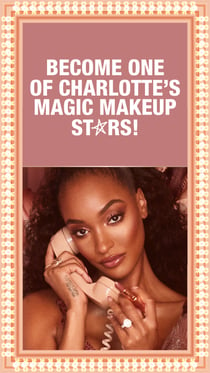
Two frames do the whole job: a hook that names the programme ("Become one of Charlotte's Magic Makeup Stars!"), then a list of what members unlock, ending in Apply now.
.jpg?width=210&height=373&name=MMS-FRAME-3_(2).jpg)
📱 Stories: MAC
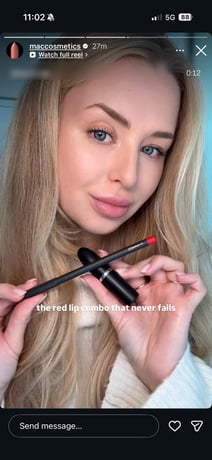
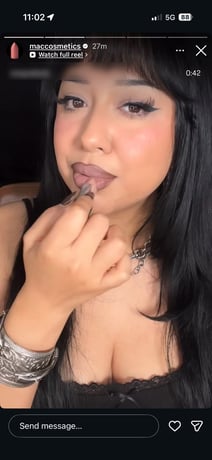
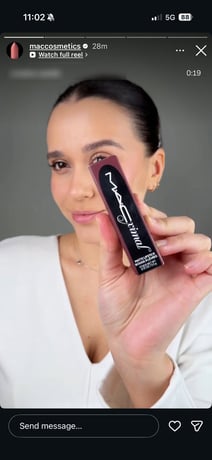
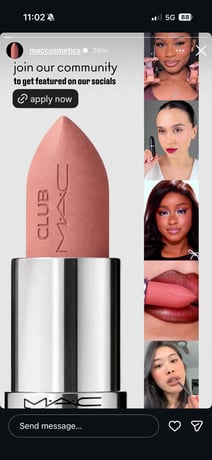
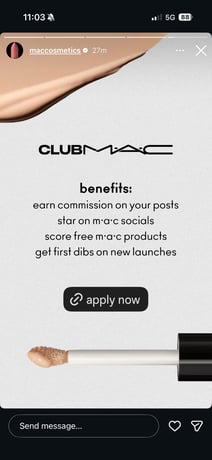
Club MAC's stories pair the community (creators MAC has featured) with a clear list of benefits, and put an apply now link right on the frame.
🖼️ Feed post: Astrid & Miyu
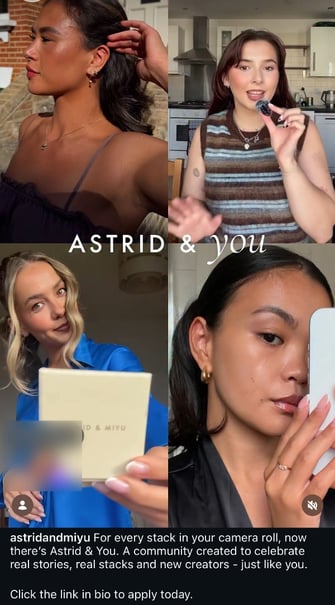
Astrid & Miyu's launch post introduces Astrid & You in a single image. The caption says who it's for ("real stories, real stacks and new creators, just like you") and ends with a clear call to action: "Click the link in bio to apply today." Because it stays on their profile, anyone who hears about the programme later can still find it.
🚀 Next steps
- Make sure your programme landing page answers the same three questions as your posts.
- Planning a big launch? Your Brand Partner can help you plan everything from posts to moderation.