![duel_logotype-1.png]](https://info.duel.tech/hs-fs/hubfs/duel_logotype-1.png?height=37&name=duel_logotype-1.png)
Overview
The signup form is where advocates provide their information before applying to join a Duel programme (if the group uses the application admission route). These forms can be customised to meet the specific requirements of each programme.
- To see an example signup page, click here.
Setup
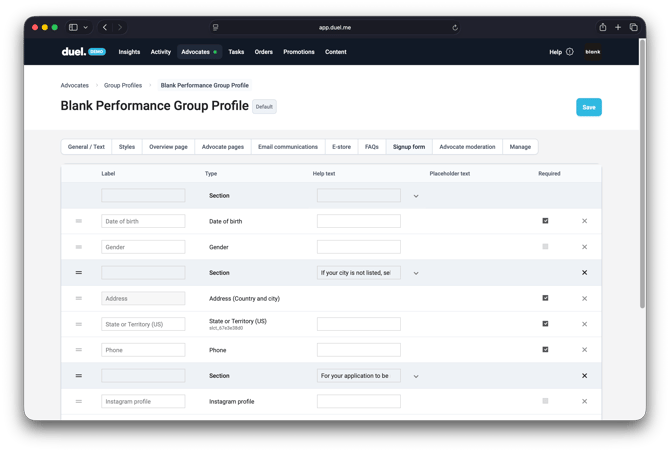
To set up or make changes to your signup form, go to Advocates > Groups > Group Profiles and select the appropriate group profile > Signup form.
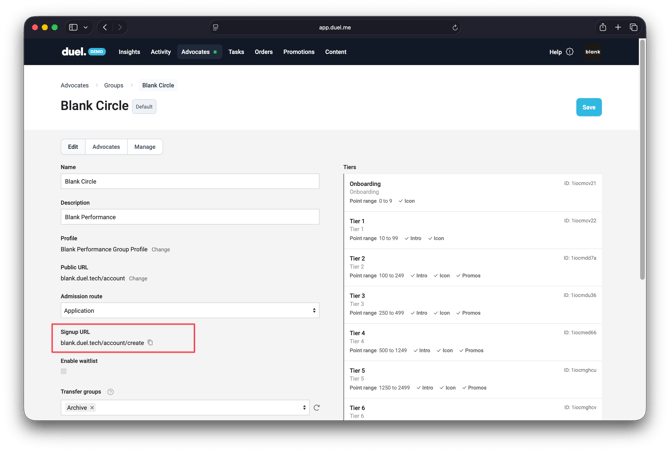
Once you have set up your signup form questions, you can view them on the front end by navigating to Advocates > Groups > selecting the relevant group. Then opening the signup URL. If you have set up a subdomain, the signup form will be accessible there.
📚 For more information on form elements and custom fields, please refer to this article.